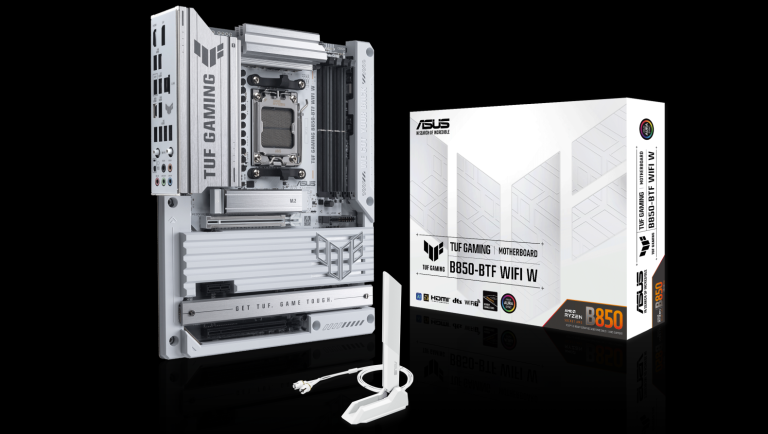

Home » Technology » Asus TUF GAMING B850-BTF Review
Migrating a BAS\BAF (1C) server and database management system (DBMS) from a physical machine to a virtual environment is called virtualizing the BAS\BAF (1C) server. Administrators and business managers note that this transition results in a more resilient, efficient, and easier-to-manage infrastructure.
Advantages of BAS\BAF (1C) Virtualization
Many companies find that moving BAS\BAF (1C) from a physical server to a virtual one, either independently or via a cloud provider, is the best approach. Key benefits include hardware independence, lower total cost of ownership, greater scalability, and more.
Reduced Ownership Costs and Infrastructure Investments
By virtualizing multiple BAS\BAF (1C) servers, businesses save on purchasing new hardware. Reduced power consumption means fewer IT specialists are needed to maintain the physical equipment. Virtual environments allow allocating more resources at the software level, whereas traditional infrastructure requires hardware upgrades like faster processors or larger storage.
Faster Migration and Recovery
BAS\BAF (1C), like any virtual machine, is easy to move to another physical server. Automated system snapshots during backup allow rapid recovery with minimal impact on business operations. Virtual machines can also be rolled back to a previous state if changes need to be undone.
Bonus: Virtual machines can network and interact within a guest OS and emulate physical devices.
Support for Legacy Systems and Mobile Access
Older licenses, such as Windows, can continue running on virtual machines even when modern hardware does not support them. Newer software versions provide better management, stability, and security.
Bonus: Users can access their BAS\BAF (1C) server from anywhere via mobile devices, provided they have internet and access rights.
Faster Server Restart
Virtual servers perform routine checks immediately, making boot and restart times much faster than traditional servers.
Enhanced Data Security
Users connect via encrypted protocols, preventing unauthorized access. Administrators can change access rights at any time to comply with corporate security guidelines.
Making the Decision for a Virtual BAS\BAF (1C) Server
Not all hardware can host a virtual server. Physical characteristics are critical for large databases or many simultaneous users. IT directors must choose resource-efficient solutions that meet user needs.
Number of Users
For small loads with up to 10 users: dual-core processor, 5–6 GB RAM, 100 GB storage.
For 10–25 users: 14–16 GB RAM, 20–40 GB additional storage.
For 50+ users: quad-core processor, 24 GB RAM, 200 GB storage.
For 100–500 users across two virtual servers: DBMS may require 12-core CPU, 60 GB RAM, 1 TB storage.
Key Attributes of a Virtual BAS\BAF (1C) Machine
Select a plan based on business needs and concurrent users.
Deploy virtual machines with migrated servers and databases.
Configure workstation connections and access rights.
Continuous monitoring and automated backup solutions.
Upgrade widely-used product configurations if desired.